GrooveGod Sidecheck
Sidechain matrix. No cable spaghetti.
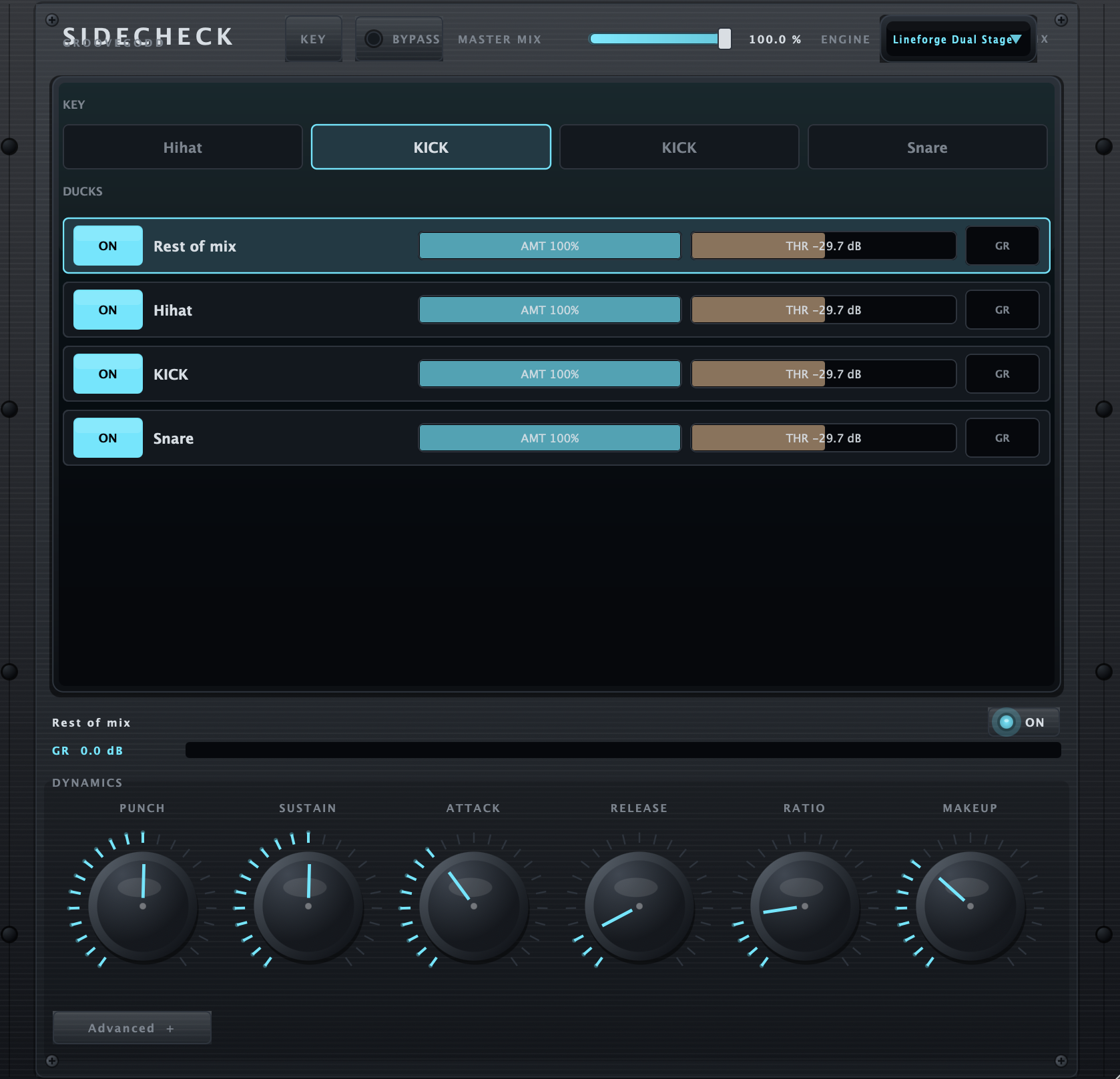
Insert on tracks, pick one master, choose your key source and duck the destinations you want. Dual-stage optical and discrete compression with morph A/B and MIDI learn.
VST3 (macOS). Windows VST3 coming.
VST3 · macOS 10.15 or later, 64-bit host
Matrix routing
One master instance, every insert visible. Pick key, pick ducks.
Dual-stage engine
Optical and discrete stages in series for glue that stays musical.
Per-destination amount
Amount and threshold per duck, with gain reduction metering.
Morph A/B
Snapshot two dynamics settings and morph between them.
MIDI learn
Map punch, sustain, attack, release, ratio and makeup to your controller.
Rest-of-mix duck
Duck everything except the key with one row.
Insert
Put GrooveGod Sidecheck on the tracks you want in the matrix.
Pick the key
Choose the source that triggers the ducking.
Dial it
Set amount and threshold per destination and shape the dynamics.
VST3
macOS 10.15 or later, 64-bit host
Ableton Live, Logic Pro, Reaper, Cubase, Bitwig
3 per account, revocable
How do I unlock the plugin?
Open GrooveGod Sidecheck, hit Unlock, and paste the license key from your account — or sign in with your email and approve the machine on GridBit.com.
How many computers?
3 machines per account, shared across the plugins you own. Reinstalling on the same machine does not use a new slot.
Does it need to be online?
Only for account, download and activation. The plugin re-checks in the background about every 7 days and keeps working offline until the license ticket expires.
What if I hit the machine limit?
Open your account, remove a machine from the device list, then activate the new one.
Take the whole rack
The GrooveGod Bundle is $150 — $53 off the separate prices.